

How to integrate ediscovery into your legal workflows
Learn how to integrate ediscovery into your legal workflows with 7 practical tips — from matter intake to trial prep, deposition sync, and billing.


How to integrate ediscovery into your legal workflows
At many legal practices, ediscovery is treated as a discrete phase. After data collection and document review, the “real” litigation work begins somewhere else.
That handoff is where firms lose time, context, and money.
The firms that get the most out of their legal technology don’t treat ediscovery as a silo. They treat it as the connective thread running through the entire matter — from the first data collection through the last exhibit at trial. Building that kind of integrated workflow doesn't require a complete tech overhaul, just more deliberate decisions about how your tools connect and choosing platforms that are built to support the full litigation lifecycle.
Here's how to do it.
Why integration matters
A lack of integration creates workflow gaps that lead to duplicated effort, missing context, billing friction, and more slowdowns throughout the litigation process.
Documents from review get re-uploaded for trial prep, and key files that were carefully tagged lose that context by the time attorneys start building the case. Deposition prep happens in a separate environment, disconnected from the review work that should be informing it. Billing for ediscovery requires manual calculation and custom invoices that nobody has time to generate.
At their core, these are workflow problems, and they have two kinds of solutions:
- 1. Process: Being deliberate about how your tools connect, standardizing handoffs, and building habits that reduce manual work.
- 2. Platform: Choosing software that handles more of the litigation workflow in one place, so there are fewer gaps to manage in the first place.
The tips below address both. But if you're evaluating ediscovery platforms, the degree to which a platform extends beyond review is worth weighing seriously. Every stage it covers is a handoff you don't have to manage manually.
What an integrated legal workflow actually looks like
A truly integrated workflow treats every stage of a matter as connected:
Matter intake → Data collection → eDiscovery processing & review → Deposition prep → Case building → Trial presentation → Billing & cost recovery
eDiscovery sits at the center of that chain. When it's treated as a standalone step, everything downstream — depositions, case building, trial prep — starts from scratch. But when it operates as a continuous process, the work compounds. The documents you review in discovery become the foundation for deposition prep. Deposition transcripts feed directly into case building. The case file you build becomes your trial presentation. And the costs associated with all of it are tracked and recoverable.
That's what integration looks like in practice. Here's how to build it.
7 tips for integrating ediscovery with your legal workflows
1. Mirror your matter structure and let your ediscovery platform flex around it
Before a single document hits your ediscovery platform, establish your matter structure in your practice management system. Matter IDs, client naming conventions, team assignments — get that architecture right first, then reflect it in your ediscovery database. The goal is for both systems to speak the same language, so nothing gets lost in translation between intake and review.
Mirroring the matter structure can become a challenge when ediscovery platforms lack flexibility. If your platform forces you into a rigid folder structure, you're either shoehorning your matter organization into a template that doesn't fit, or maintaining two parallel systems that diverge over time.
In Nextpoint, the custom coding, tagging, and folder/category structure lets teams replicate their exact matter organization and evolve it as the case develops. Documents can live in more than one folder simultaneously, so a contract that's relevant to both the damages argument and the witness timeline doesn't need to be duplicated. You set up the structure that matches how your team works, and it stays coherent from intake through review.
2. Standardize data ingestion before collection begins
One intake path, established early, saves significant pain downstream. Clients emailing files in batches, custodians producing documents on thumb drives, opposing counsel delivering productions in inconsistent formats — each of these creates processing headaches that ripple through the rest of review.
Establish your collection protocol at the outset of the matter. Determine what formats are acceptable, who is responsible for each custodian's data, and where everything lands. The cleaner the data coming in, the faster and more reliable the review coming out.
Nextpoint supports several ingestion paths that make this easier in practice. Cloud storage integrations with OneDrive, Google Drive, and Dropbox let teams pull data directly into Nextpoint without manual re-uploading.
And for collecting data from clients or custodians, Nextpoint lets you send a secure upload request. The recipient uploads their files directly into your Nextpoint database without needing an account or access to anything else in the matter. It keeps the chain of custody clean and eliminates the security risk of sensitive documents traveling through email.
3. Know which documents belong where — and use the right tool for each
One of the most common workflow mistakes is treating the document management system (DMS) as an all-purpose document solution. If documents are there, why not use it for ediscovery too?
Because a DMS and an ediscovery platform aren't built for the same job. A DMS — whether that's NetDocuments, iManage, or a cloud storage platform — is designed for your firm's internal work product: drafts, memos, pleadings, correspondence. It's built for the documents your firm creates, edits, and collaborates on.
An ediscovery platform is built for evidence: electronic documents collected from clients and outside parties that you have a duty to preserve with an intact chain of custody. That means no editing, strict metadata preservation, deduplication, production-ready tagging, and bona fide redactions — none of which a DMS is designed to do.
When firms route electronic evidence through their DMS out of habit or convenience, they're commingling work product with evidence in a tool that was never built to handle it defensibly. The integration point here isn't between your DMS and your ediscovery platform — it's understanding clearly which data flows to which system from the start of a matter. (For a deeper breakdown of the five key distinctions, see Work Product vs. Evidence: Why Your Firm's DMS Is Not an eDiscovery Platform.)
4. Don't let review and deposition prep live in separate systems
This is one of the most common — and costly — workflow breakdowns. The review team spends weeks tagging key documents in the ediscovery platform. Then deposition prep begins in a completely separate environment. The work done during review doesn't transfer, and attorneys start over.
Your ediscovery platform should feed directly into deposition prep. That means being able to pull exhibit candidates from reviewed documents, organize them by witness, and build deposition outlines without exporting anything. Nextpoint's deposition and transcript management tools live inside the same platform as document review, so the work your team does during discovery directly supports the depositions that come after it.
5. Build your case file where you reviewed your documents
Another place where context gets lost is the handoff from review to case-building. An attorney picks up a document that was coded and tagged during review — and without that context, they're reading it cold.
When case-building tools live inside your ediscovery platform, attorneys work directly from the reviewed and tagged document set. Issue codes, privilege flags, key document designations — all of it travels with the document. There's no export, no re-import, no rebuilding of context that was already established.
Nextpoint is built as a single platform from processing through case management, which means the case file your attorneys build is drawn directly from the same database your review team worked in. The matter stays coherent across every stage.
6. Plan your trial presentation before review ends
Trial presentation is often treated as a last-mile problem. It shouldn't be. The decisions you make during document review directly shape what's available at trial, and the earlier you're thinking about exhibit organization, demonstratives, and timeline construction, the less scrambling you'll do at the end.
Tag potential trial exhibits during review, not after. At the same time, begin building timelines from the documents you've already organized. Think about how your case narrative maps onto your document set. Nextpoint's integrated trial presentation tools mean that the exhibits your team builds for trial are drawn from the same platform where they were reviewed. There's no final-hour document hunt, and no risk of presenting a version of an exhibit that differs from what was produced.
7. Integrate ediscovery with your billing and operations
Here's something a surprising number of firms don't know: absorbing ediscovery costs as overhead isn't required — it's a choice. And it's often an unnecessary one.
Under ABA Model Rule 1.5 and Formal Opinion 93-379, ediscovery expenses are typically not considered general overhead. They're client-specific costs incurred to benefit specific matters — which means they can be passed through to clients using the same ethical framework that governs other litigation expenses like court filing fees or deposition transcripts. (Nextpoint's Billing Guide for Modern eDiscovery covers the ABA framework in detail if you want to walk through the ethics analysis.)
Beyond the ethics question, the practical barrier for most firms is an operational issue. Calculating how much to bill each client for a shared software subscription, then generating a clean invoice, takes time that nobody has.
Nextpoint's Subscription Pass-Through Invoice Generator was built to solve this challenge. The tool automatically calculates per-matter costs based on Nextpoint's per-user, unlimited-data pricing and generates fully customizable invoices that can be sent directly to clients. What used to require a manual spreadsheet and a custom invoice template now takes minutes.
What to look for in a platform built for integrating ediscovery with legal workflows
Not all ediscovery platforms are built with workflow integration in mind. Some are purpose-built for review and stop there. Others handle processing and production but leave trial prep to a separate tool. When evaluating platforms for your litigation practice, the criteria that matter most are:
Cloud-native access. Your team shouldn't need to be in the office — or on a VPN — to do ediscovery work. A cloud-native platform gives partners, associates, contract reviewers, and remote co-counsel access to the same database from anywhere.
A single platform from processing through trial. Every handoff between platforms is a potential failure point. A platform that handles processing, review, deposition prep, case building, and trial presentation eliminates those gaps by design.
Flexible organization that mirrors how attorneys work. Rigid folder structures don't reflect the way litigation actually develops. Look for platforms that support custom tagging, flexible categorization, and document organization that can evolve as the case does.
Integrations with your existing stack. Native connections to your DMS, cloud storage, and practice management system reduce manual work and keep data consistent across your tools.
Predictable pricing that supports cost recovery. Per-GB pricing models make it difficult to predict costs and set realistic expectations for clients. Per-user, unlimited-data pricing gives firms a fixed cost baseline that's straightforward to allocate and recover.
The right platform is the one that doesn't make you stop
Every time your team has to stop litigating in order to manage a tool — re-uploading documents, reconstructing context, manually calculating billing, or rebuilding a trial exhibit from a reviewed document — you're paying a tax on fragmented workflow.
eDiscovery doesn't have to work that way. Platforms built for end-to-end integration treat discovery as the foundation of the entire matter, not a phase that ends at production. That kind of workflow efficiency can quickly become a competitive advantage.
Nextpoint is built to be that connective thread — from the first data upload through the last exhibit at trial. Talk to an expert to see how it fits your firm's workflow.
Frequently asked questions
What does it mean to integrate ediscovery with legal workflows? eDiscovery integration means connecting your ediscovery platform to the other tools and processes in your legal workflows — including practice management, document management, deposition prep, case building, trial presentation, and billing. An integrated workflow eliminates manual handoffs between systems and ensures that work done during document review carries forward into every subsequent stage of the matter. For mid-size firms, tight integration across legal workflows is one of the most effective ways to compete without adding headcount.
How does ediscovery connect to trial preparation? When ediscovery and trial prep live in the same platform, documents reviewed and tagged during discovery are immediately available for exhibit organization, timeline construction, and demonstrative building. Attorneys can pull potential trial exhibits directly from the reviewed document set without re-uploading or rebuilding context. Platforms like Nextpoint are built to support this end-to-end workflow within a single environment, keeping legal workflows continuous from first collection through the courtroom.
Can ediscovery costs be passed through to clients? Yes, in most cases. Under ABA Model Rule 1.5 and Formal Opinion 93-379, ediscovery expenses incurred on behalf of specific clients can typically be treated as client-specific costs rather than general overhead — similar to deposition transcript fees or court filing costs. Firms should communicate the billing methodology to clients in advance and ensure the fees meet the reasonableness standard under Rule 1.5. The Nextpoint billing guide covers this analysis in detail.
What platforms support end-to-end ediscovery and trial prep? Nextpoint is one of the few platforms built to handle the full litigation lifecycle within a single environment — from data processing and document review through deposition prep, case building, and trial presentation. Most ediscovery platforms are purpose-built for review and require a separate tool for trial prep, creating a gap in legal workflows at a critical stage of litigation.
How do mid-size law firms integrate ediscovery with practice management software? While direct native integrations between ediscovery and practice management platforms vary, firms can create consistent legal workflows by mirroring their matter structure — using the same matter IDs, naming conventions, and organizational logic across systems. Choosing a cloud-based ediscovery platform ensures that the document database is accessible to team members regardless of where they're working, reducing reliance on physical handoffs or manual file transfers between systems.
Join our Nextpoint newsletter list
Related Resources
Blog

Blog
A Look Through the 2022 ABA Legal Technology Survey Report

Blog

Blog
We all know the stereotype that lawyers are bad at tech. But is it true? Experienced attorney Andy Greene shares his thoughts.
Blog
Blog
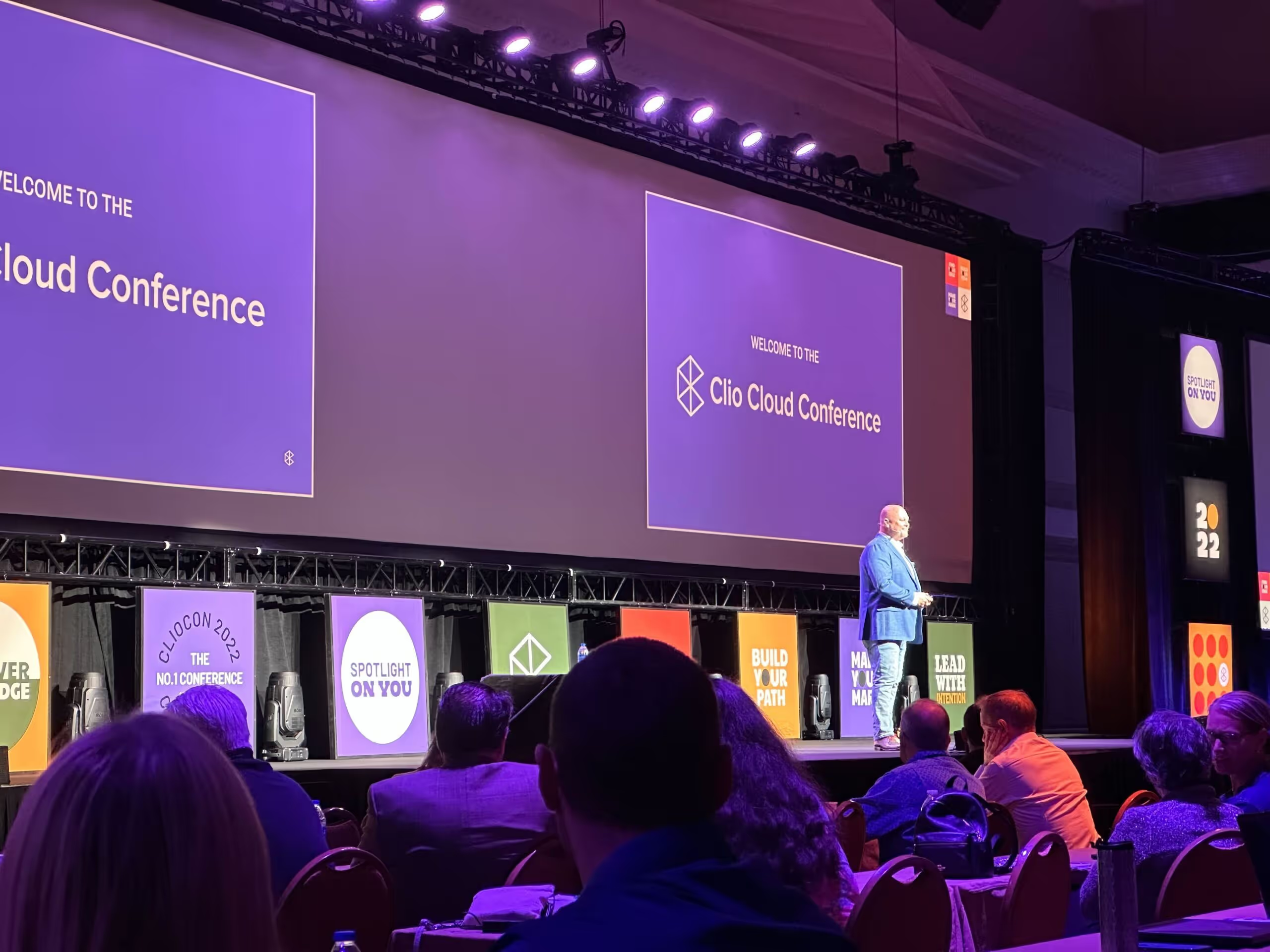
Brett Burney, Nextpoint's eLaw Evangelist, shares key findings after attending ClioCon 2022 with the Nextpoint team.
Experience Nextpoint for yourself
Learn how our transparent pricing and powerful platform help legal teams streamline litigation from discovery to decision.